» Download this section as PDF (opens in a new tab/window)
The architecture for external storage introduces new services and components and modifies existing AOS components to handle external storage:
A Nutanix compute cluster is initialized and set up the same way as a HCI cluster using Nutanix Foundation. The difference is instead of installing AHV and AOS on local drives, Foundation installs AHV and AOS on the boot device. AHV then puts the boot device in a Volume Group, carves out space for itself and then gives a virtual NVMe device to the CVM. The CVM next creates these 3 services on the vNVMe data partition like HCI:
All the CVMs and these services then form the Nutanix compute cluster.
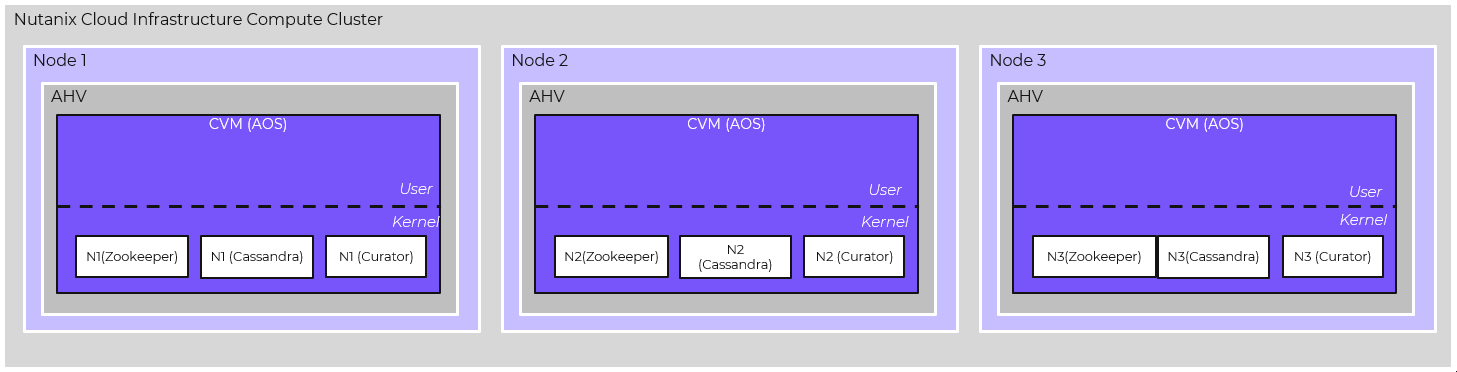 Compute Cluster Creation (boot device)
All storage and VM related operations are blocked on the cluster at this point. The administrator on logging into Prism is first prompted to connect to External Storage. Once an external storage array is connected, the node specific service volumes are created on external storage by Hades. Once these volumes are created, Cassandra, Curator and Zookeeper data is then migrated over to these volumes. At this point the cluster creation is complete and the cluster is ready for VM provisioning with their associated vdisks that will be created on external storage.
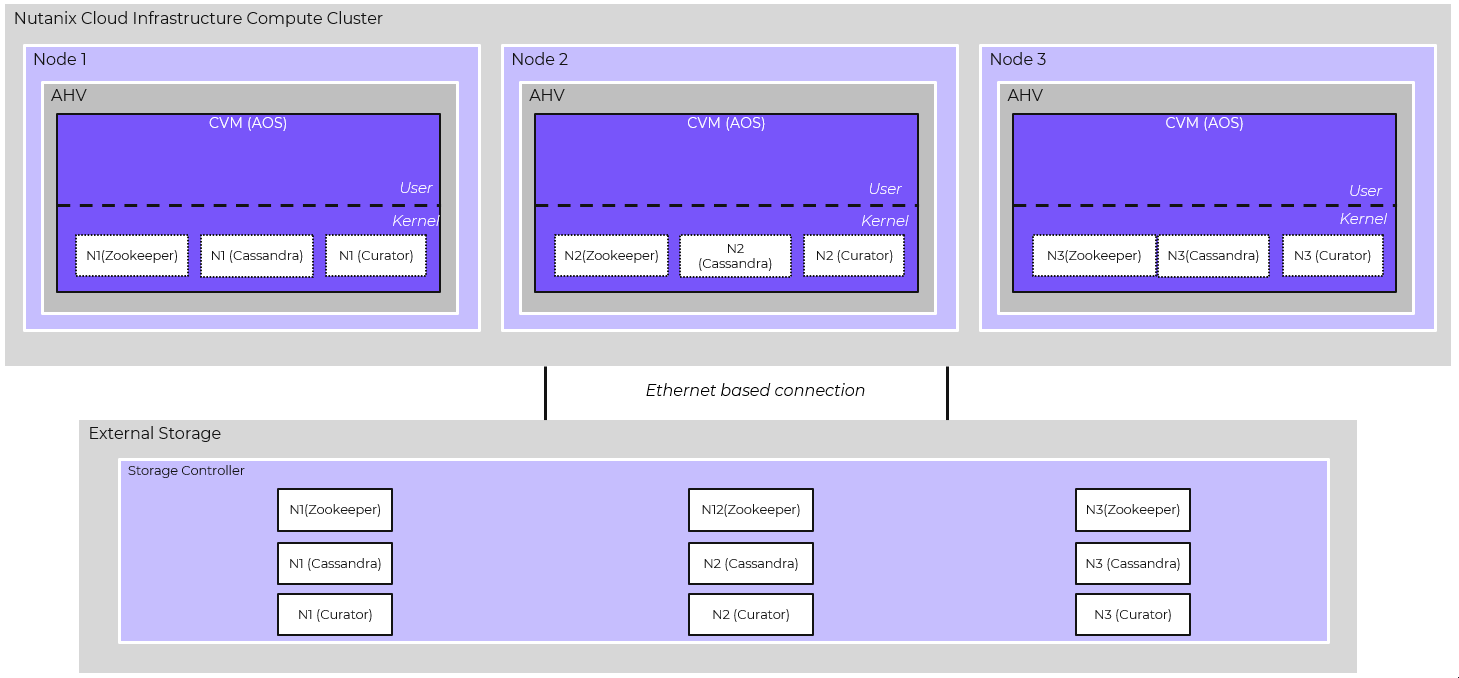 Compute Cluster connected to External Storage
The protocol setup for the data path between compute and storage and its associated settings like multipathing and queue depth policy is entirely done in software by Nutanix and the storage vendor. No manual protocol network configuration is required.
Once the external storage array is connected, VMs with vdisks can now be created in Prism the same way as HCI. The VM provisioning can be done through GUI, APIs or automation tools like Self-Service just like HCI. There is no file-system or logical container on which the vdisks are created. There is a direct 1:1 mapping between a VM vdisk and volume on external storage providing granular control and preserving VM and vdisk centric operations. A vdisk in Nutanix corresponds to a data volume and a metadata or CBT volume on external storage as mentioned above. When a VM with a vdisk is created, the CVM on the node where the VM is created will acquire a vdisk lock that allows only that CVM to make modifications to the vdisk. The CVM will then map to the data and metadata volume from external storage corresponding to that vdisk. The CVM will issue a SCSI-3/NVMe Persistent Reservation ensuring I/O to volumes is fenced and only the Stargate holding the lock can perform I/O against the volumes.
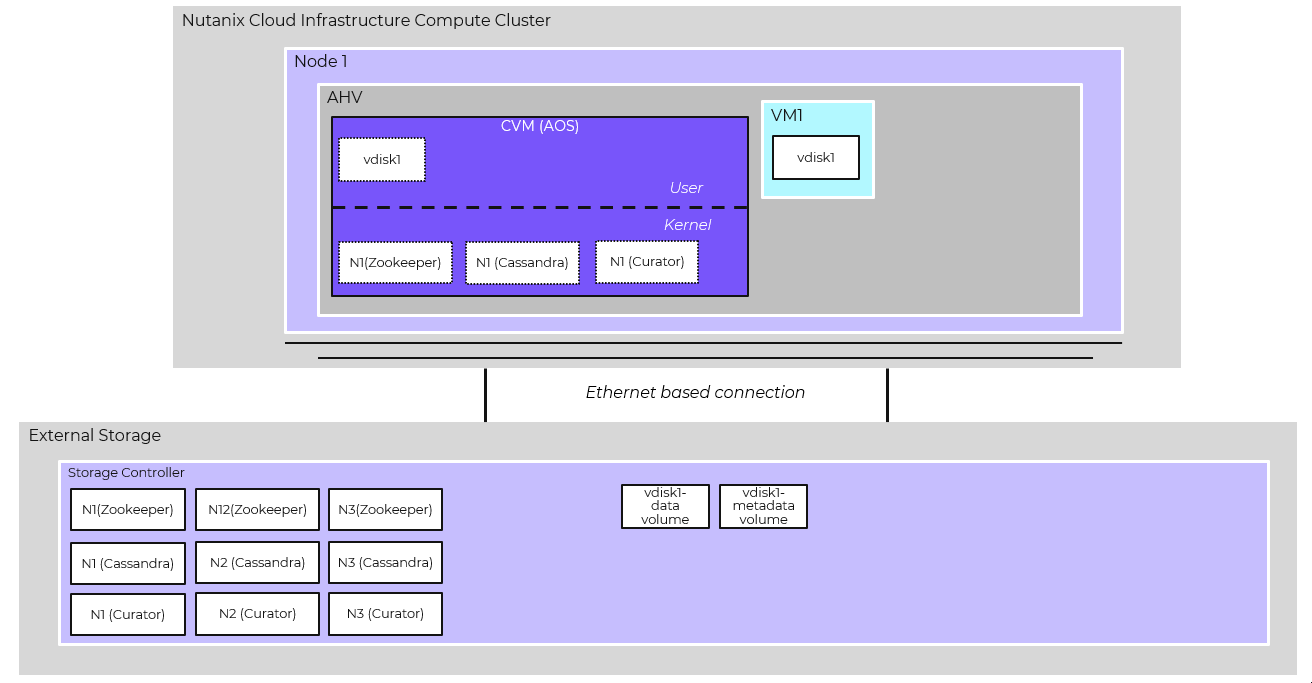 Data and Metadata Volumes
As mentioned before, leveraging the Nutanix platform capabilities for external storage was a key goal when architecting the integration. Prism still acts as the main control plane through which users create, delete, modify snapshots and clones similar to HCI. When a user does an operation like creating a snapshot or clone, Nutanix uses the external storage vendor’s snapshot and clone APIs to take on-disk storage snapshots and clones. A snapshot results in creation of a new entity on the external storage array. That entity is classified as a volume or a snapshot depending on the storage array. Every snapshot in a snapshot chain gets its own separate B-tree which resides in the per-snapshot chain metadata (CBT) volume. The B-trees for all snapshots of a vdisk in a single snapshot chain are stored in the same CBT volume. A clone results in creation of a new snapshot chain and therefore a new data and metadata (CBT) volume on external storage that becomes its own entity with its own B-tree(s) for the new snapshot chain. The B-Tree(s) reside on this new metadata volume.
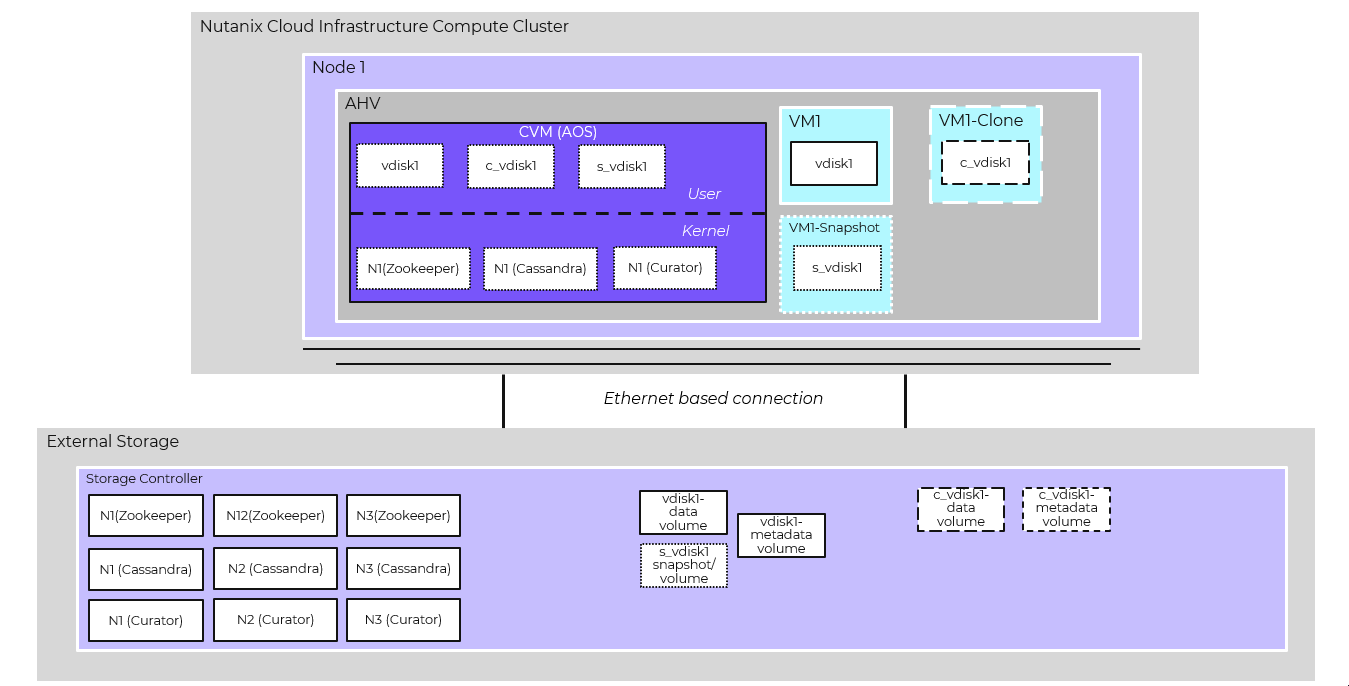 Snapshots and clones on External Storage
Nutanix DR which depends on Nutanix platform taking and maintaining snapshots works the same taking snapshots as described above. With external storage, Nutanix supports a spectrum of RPOs such as sync (0 RPO), async (>60 minutes RPO) and as well as automatic failover between sites using AHV Metro.
Since the entire orchestration and replication is driven by the Nutanix control plane, DR can be done between Nutanix compute clusters connected to external storage as well as between a Nutanix compute cluster connected to external storage and a HCI cluster.
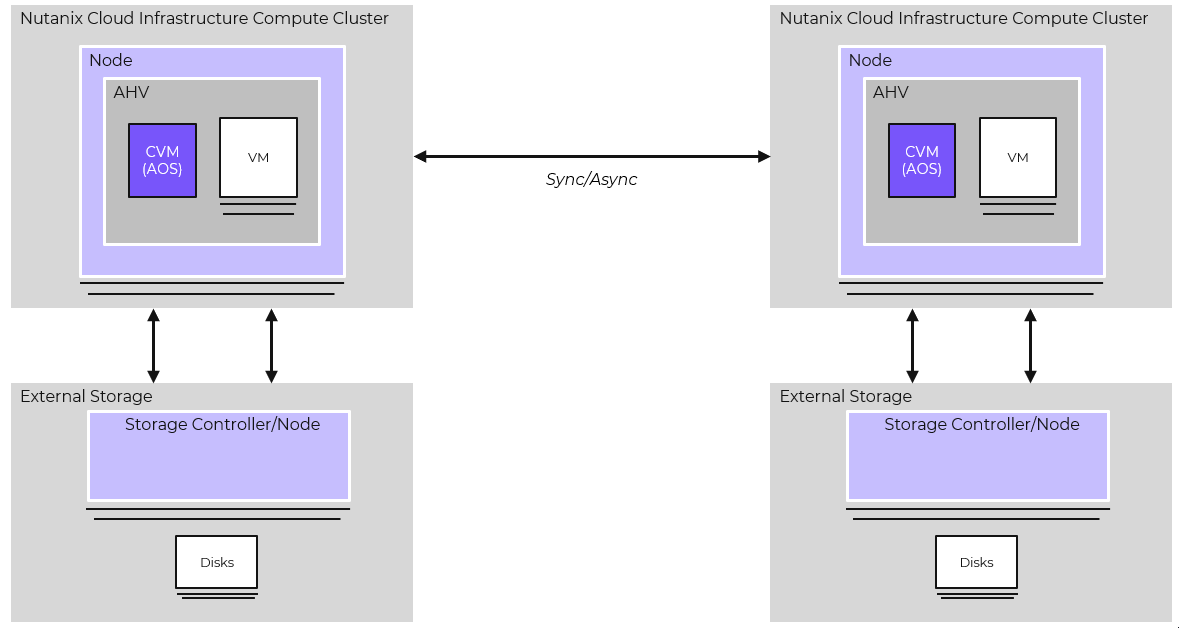 DR between Nutanix Compute Clusters with External storage
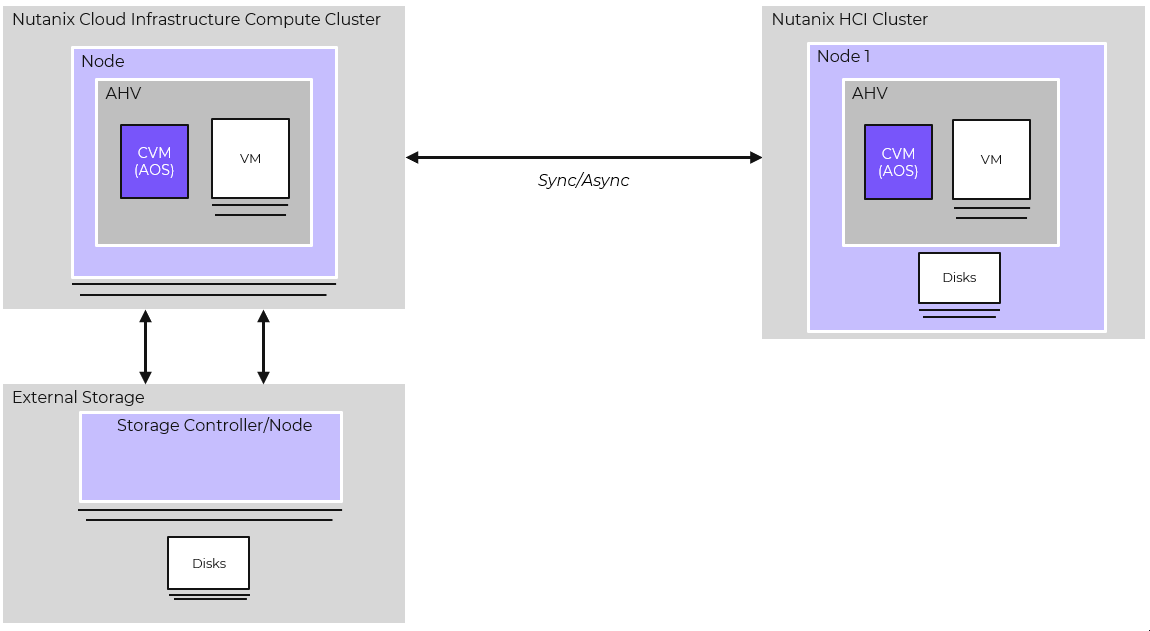 DR between Nutanix Compute Cluster with External storage and HCI Cluster
©2025 Nutanix, Inc. All rights reserved. Nutanix, the Nutanix logo and all Nutanix product and service names mentioned are registered trademarks or trademarks of Nutanix, Inc. in the United States and other countries. All other brand names mentioned are for identification purposes only and may be the trademarks of their respective holder(s).